Accounting software that
respects your data.
Fast, local-first bookkeeping for freelancers and small businesses. No account or subscription required. Your books stay in a file you own.
Windows 10 / 11 · Free
Your data, your machine
Each set of books is a single file on your machine. Copy it, back it up, move it. No accounts, no cloud lock-in.
Fast by design
A native Windows app with a lightweight core. Opens instantly, stays responsive, and works fully offline.
Double-entry bookkeeping
Built on real accounting principles: accounts, journals, splits, and reconciliation. Switch to the Accounting register whenever you want to work directly with balanced debits and credits.
Your books at a glance
Start with a financial dashboard showing income, expenses, net income, assets, receivables, payables, top spending, and anything that needs your attention.
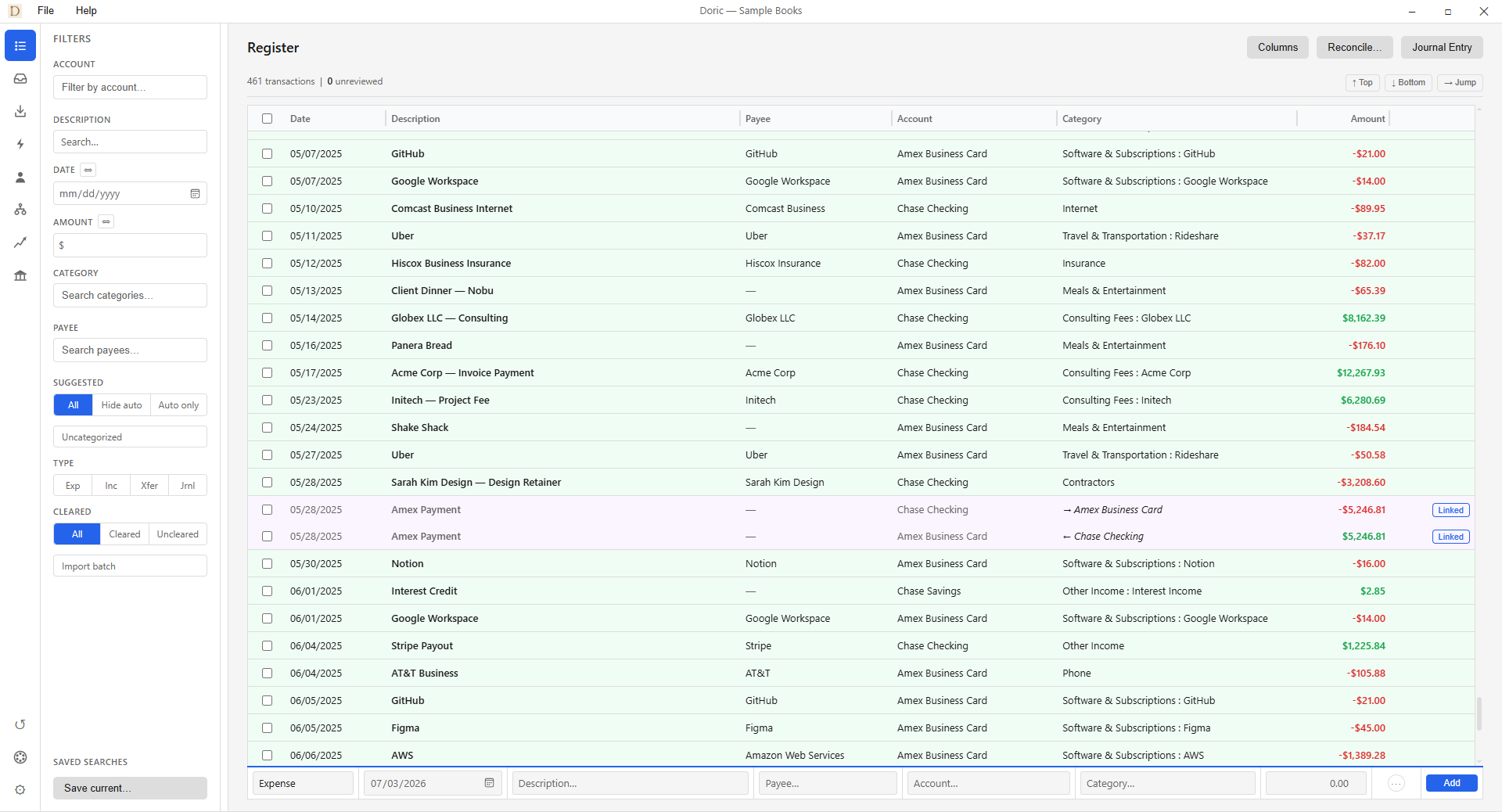
A register built for speed
Enter and categorize transactions from the keyboard, approve suggestions with a keystroke, and handle transfers cleanly.
Learn more →Import from your bank
Bring in CSV, OFX, QFX, and QIF files. A review queue lets you triage everything and skips duplicates automatically.
Learn more →Rules that learn
Build rules that suggest a category or payee when a transaction matches. Doric even offers to remember your choices.
Learn more →Payees & 1099s
Keep vendors, customers, and contractors in one place, with default categories and everything you need at 1099 time.
Learn more →Transfers done right
Move money between your own accounts and pay credit cards without double-counting. Mark it once and Doric handles both sides.
Learn more →Invoices & bills
Create customer invoices, enter vendor bills, track what's open, and apply payments directly to accounts receivable or payable.
Every change accounted for
Search a detailed Audit Log by date, record, source, or status. See who changed what, inspect transaction history, and safely undo compatible changes.
Find any transaction in seconds
Stack filters to slice your register any way you need: by account, category, payee, type, cleared status, amount, or date range, plus a description search. Flip to just the uncategorized rows with one click, or narrow to a single import batch.
Then handle the whole filtered set in one move: pull up every dry-cleaning charge and categorize them in a single swoop, no clicking row by row.
Save any combination as a named view and make the one you reach for most your default, so the register opens exactly how you work.
See how the register works →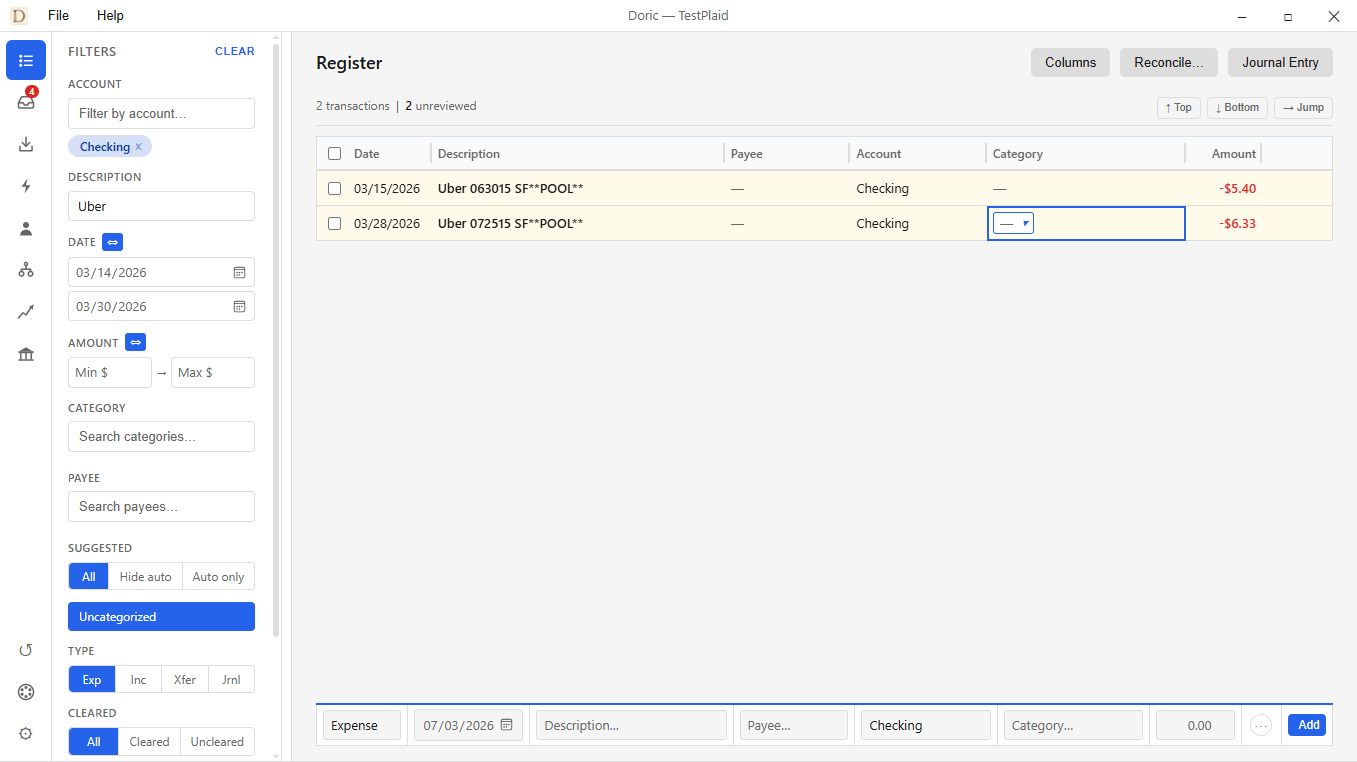
Reports, the moment you need them
Profit & loss, balance sheet, trial balance, income vs expenses, spending by category or payee, and a 1099 summary, all generated instantly from your local data.
Export any report to PDF, or most to CSV, when it's time to hand something to your accountant.
See how reports work →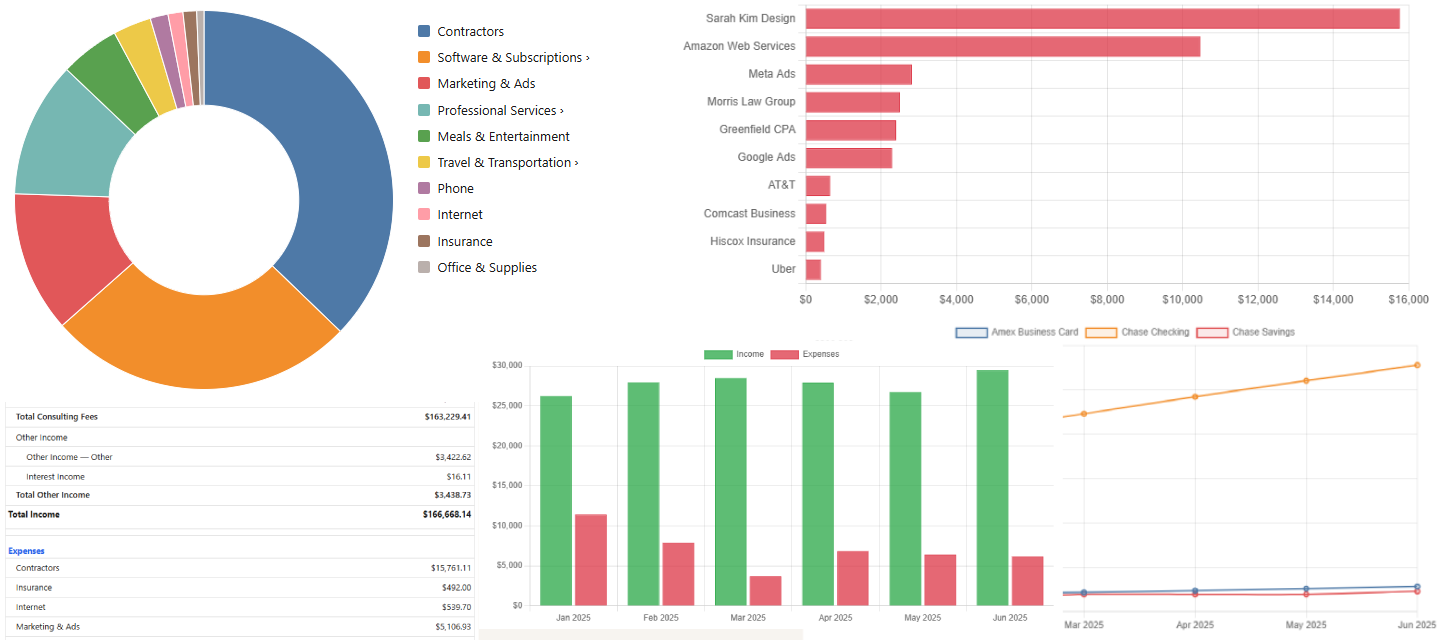
Make it yours
Switch to a dark theme, warm the palette, or tune every color by hand. Doric updates live as you go, and you can save your own themes.
See how theming works →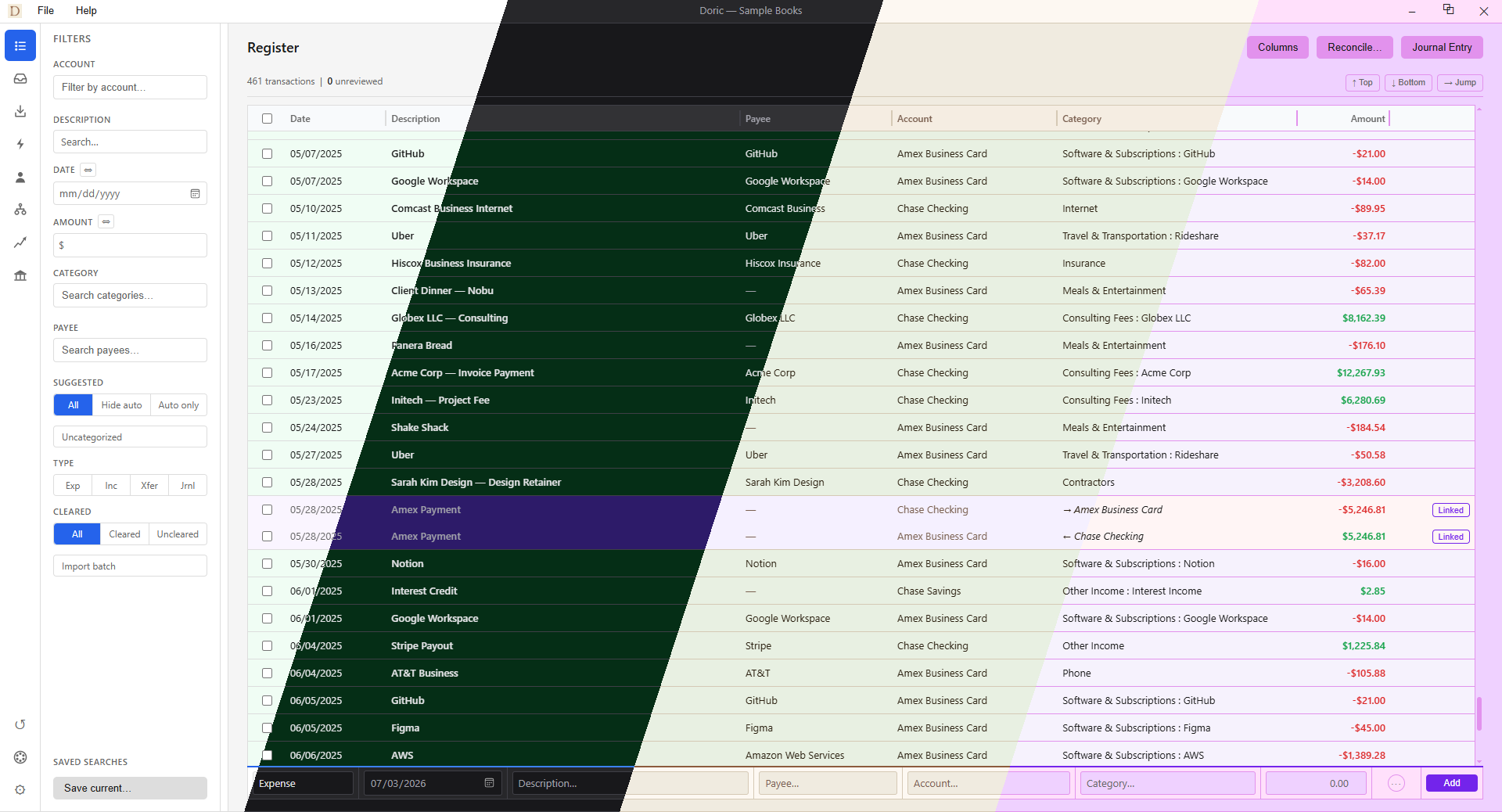
Doric Cloud
Doric is free and runs entirely on your machine, and that never changes. Doric Cloud is an optional subscription that adds convenience when you want it, while your books stay in a file you own.
Automatic bank feeds
Connect your banks and let transactions flow in on their own. No more downloading files, and duplicates are skipped for you.
Encrypted cloud backup
An off-site, encrypted copy of your books, so a lost laptop never means lost records.
New subscriptions are paused briefly while we add shared books.
Existing subscriptions are unaffected.
Invoicing and bills are here
Create and send customer invoices, enter and post vendor bills, see what is outstanding, and apply payments straight to your books. Doric keeps the documents and the underlying A/R and A/P accounting together.
Frequently asked questions
Is Doric really free?
Yes! The app is free and fully functional, and you don't even need an account. Doric Cloud is an optional subscription that adds automatic bank feeds and off-site backup, but everything else, including bookkeeping, importing, invoices, bills, rules, reports, and audit history, is free and works entirely offline.
Where is my data stored?
Right on your own machine, in a single file you own. Nothing is uploaded anywhere unless you choose to turn on Doric Cloud backup. You can copy that file, back it up, or move it to another computer whenever you like.
Does Doric run on Mac or Linux?
Not yet! Doric is currently a native Windows app (Windows 10 and 11). If you'd like a Mac or Linux version, tell us at support@doricapp.com. It genuinely helps us decide what to build next.
Can I move my books over from QuickBooks, Wave, or my bank?
Absolutely. Doric imports CSV, OFX, QFX, and QIF files, which is what most banks and accounting tools export. A review queue lets you triage everything and skips duplicates for you. See Importing transactions to walk through it. If you'd rather work in a spreadsheet first, our free file converters turn QuickBooks IIF and bank OFX/QFX/QIF files into CSV right in your browser.
Is this real accounting?
It sure is. Doric is built on proper double-entry bookkeeping, with accounts, journals, splits, and reconciliation. You get accurate reports like profit & loss, balance sheet, and trial balance, generated instantly from your data.
Do I need Doric Cloud?
Nope, not at all. Bookkeeping, importing, invoices, bills, rules, reports, and audit history are all free and local, so you can use Doric for years without ever subscribing. Doric Cloud is there for when you want the convenience of automatic bank feeds flowing in on their own, plus an encrypted off-site backup so a lost or broken computer never has to mean lost records.
Is my banking information safe with bank feeds?
Very much so. Your bank login never touches Doric. Connections are handled by Plaid, a trusted service used by thousands of financial apps, so we never see or store your password. And bank feeds only ever run if you opt into Doric Cloud.
How much is Doric Cloud, and can I cancel?
New subscriptions are paused for a short while as we bring shared books to Doric Cloud; email support@doricapp.com to hear when it reopens. While Doric is in early access it's a founder's rate: $8/month, or $80/year, locked in for as long as you stay subscribed, and you can cancel anytime. Your books always stay in the local file you own no matter what. See plans for the details.
Download Doric
Free · Windows 10 / 11 · No account or subscription required
Questions? Email support@doricapp.com.